
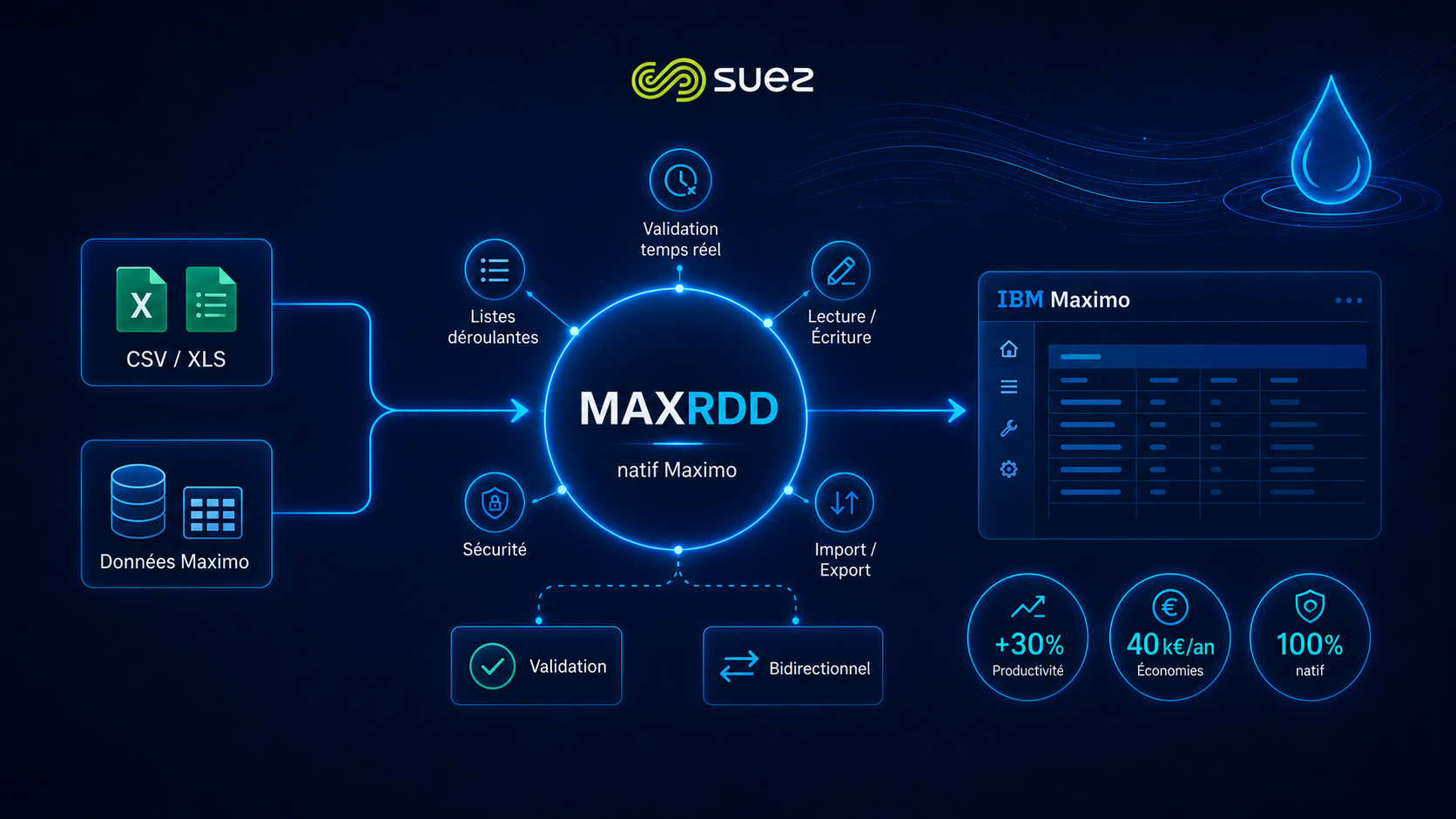
Thousands of data migration requests with no suitable tooling
SUEZ SA relies on IBM Maximo to manage its field operations across the Eau France and Recycling & Recovery (R&V) scopes. These environments generate a continuous flow of bulk data modification requests: reference corrections, asset updates, post-migration migrations, field data enrichments.
Without a dedicated tool, each request escalated to N2/N3 application support, tying up technical resources for repetitive operations. Over 25% of Eau France requests and over 30% of R&V requests were targeted data migrations, executable autonomously with the right tooling.
The challenge: empowering SUEZ teams to manage Maximo data independently
Implement a simple, secure and scalable solution to facilitate bulk data reading and writing directly from IBM Maximo, without technical dependency.
- Data integrity guaranteed — Maximo business rules must be enforced
- Interface accessible to business teams, no SQL skills required
- Zero external tooling — native integration in existing Maximo
- Fine-grained control of accessible fields per user profile
- CSV and XLS format support for imports/exports
MAXRDD vs MxLoader: why Sinorfi developed its own solution
MxLoader is the standard reference tool for loading data into IBM Maximo. Sinorfi carried out an in-depth comparative analysis before recommending MAXRDD, its proprietary component.
| Criterion | MxLoader (standard) | MAXRDD — Sinorfi |
|---|---|---|
| Maximo integration | External tool, outside the application | ✓ Native — tab integrated in every Maximo application |
| Data validation | Limited, post-load | ✓ Real-time with native Maximo error messages |
| Entry assistance | No assistance on domain fields | ✓ Contextual dropdowns on domain fields |
| Processing speed | Standard | ✓ Superior — optimised batch processing |
| Field control | Limited by configuration | ✓ Fine-grained selection via Application Designer |
| Security | Sometimes bypasses business rules | ✓ Full compliance with Maximo security rules |
| User experience | Separate technical interface | ✓ Excel-like, familiar, accessible to business teams |
The solution: MAXRDD, a native Maximo component
MAXRDD — Maximo Data Migration — is a component developed in JavaScript, Python and Java that integrates natively into IBM Maximo via the Application Designer. The interface is presented as an interactive table, accessible from a dedicated tab in any Maximo application.
The administrator defines the editable fields via the Application Designer. Business users then work directly from Maximo, without any external tool, with a familiar Excel-like experience: direct entry, contextual dropdowns on domain fields, preview before validation.
All business and security rules configured in Maximo are enforced on write. In case of an error, MAXRDD displays the native Maximo error message line by line, allowing immediate correction without losing context.
Tech stack: IBM Maximo natif · JavaScript · Java · Python · CSV / XLS · Concepteur d’Application
7 native capabilities validated during acceptance testing
The acceptance phase, concluded with a signed report on 11 December 2025, validated all functionalities delivered by Sinorfi on the SUEZ environment.
- Visualisation de donnéesInteractive tabular display of Maximo records with instant filters and multi-criteria real-time search.
- Validation & contrôle d’intégritéEach row is validated against Maximo business rules before writing. Errors are displayed line by line with native error codes (BMXAA…).
- Insertion et mise à jour en masseCreating and modifying multiple records simultaneously, with a progress bar and live success/error counters.
- Aide à la saisie des champs domainesContextual dropdowns on constrained-value fields, preventing entry errors and guiding non-technical users.
- Import / Export CSV & XLSLoading files from Excel or CSV with preview before validation, and export of displayed data for archiving or external processing.
- Transfert bidirectionnel temps réelFull read-write synchronisation with Maximo. Every modification goes through the native Maximo API, ensuring data consistency.
- Contrôle des champs par profilThe administrator defines via the Application Designer which attributes are visible and editable, per application and per security group.
Return on investment
The analysis of 2024 support requests allowed Sinorfi to precisely quantify the potential savings before contract signature.
Eau France
(25% of RDD requests automatable)
Recycling & Recovery
(30% of RDD requests automatable)
on N2/N3 application support
starting from 2026
Results: autonomous teams, reduced support workload
- Full SUEZ team autonomy — Business teams now manage their own data migrations without depending on N2/N3 support for targeted cases.
- Data integrity guaranteed on write — MAXRDD enforces all Maximo business rules. Every load is controlled, traced and reversible.
- Reduction of N2/N3 support workload — Over 25 to 30% of data migration requests can now be handled directly by business teams.
- Solution extensible to any Maximo object — MAXRDD's modular architecture allows extending capabilities via the Application Designer, without Sinorfi involvement for standard upgrades.